

You built your website with Elementor because it made design easy. Now PageSpeed Insights shows orange and red scores, and someone has told you the only fix is to throw it away and rebuild.
In most cases, that isn’t true. Elementor adds some extra code, like every page builder does, but the biggest slowdowns usually come from how the pages were built, not from Elementor itself. Overbuilt layouts, stacks of add-on plugins, heavy widgets, and performance settings that were never switched on can all be fixed without starting over.
This guide shows you how to find out whether Elementor is really the problem, the most common causes of a slow Elementor site, and how to fix them step by step.
Quick answer
Elementor is rarely the only reason a website is slow. The usual causes are overbuilt pages with deeply nested sections, too many add-on plugins, heavy widgets like sliders and animations, unoptimized images, too many fonts, and Elementor performance settings that were never enabled. Fix these, plus hosting and caching, before you consider a rebuild.
Is Elementor really the problem?
Start with a simple test. Run your homepage through Google PageSpeed Insights, then run a simple page, like your privacy policy or a basic contact page, through the same test.
- If the simple page is fast but your homepage is slow, the problem is how your main pages are built. Keep reading.
- If every page is slow, even the simple ones, the cause is probably site-wide: hosting, caching, or plugins. Start with our guide on why WordPress websites get slow.
- If mobile scores are much worse than desktop, look closely at images, fonts, and anything heavy at the top of the page.
Page builders do add extra code compared with a hand-coded theme. But plenty of Elementor sites load quickly. The difference is almost always in the build.
8 reasons Elementor websites get slow
1. Deeply nested sections and columns
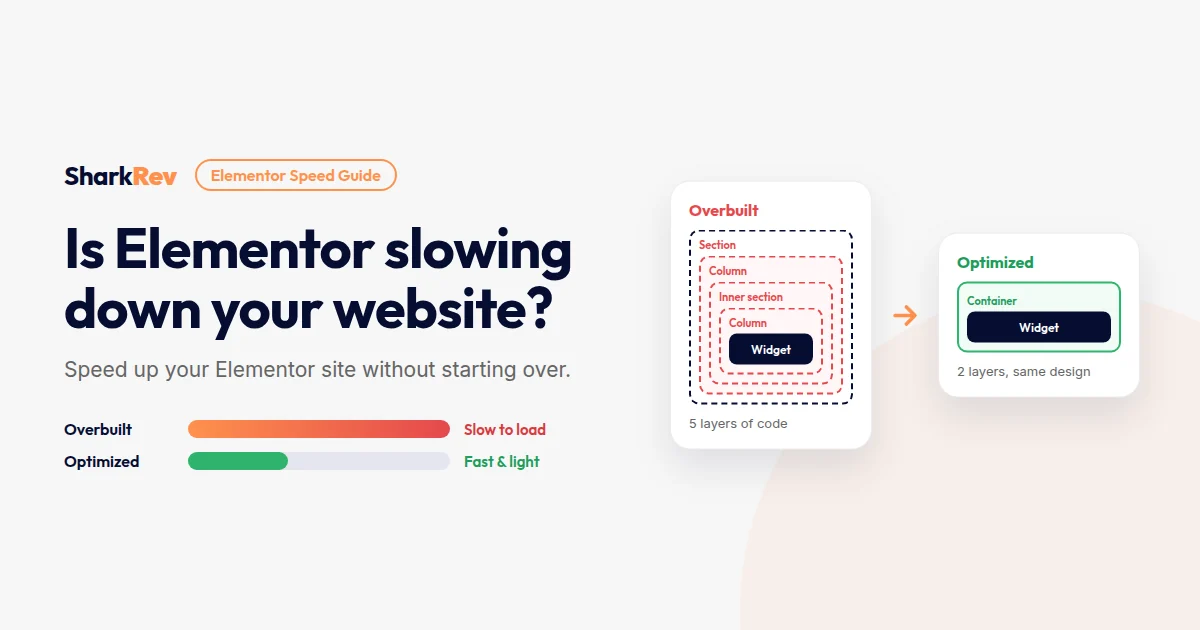
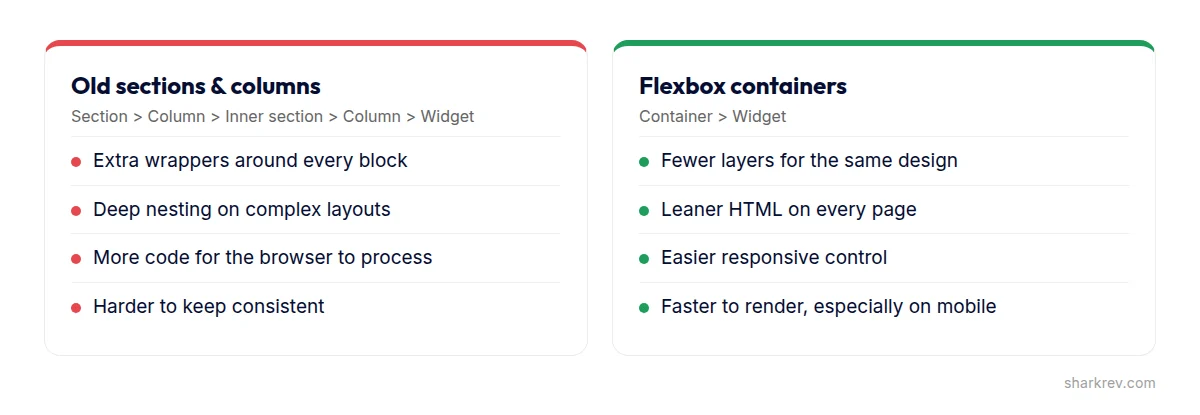
Older Elementor layouts use sections, columns, and inner sections. Every layer adds extra HTML wrappers. A page built with sections inside sections inside columns can end up with thousands of elements, which makes the browser work harder to display it.
The fix: simplify your most important pages. Remove unnecessary inner sections, and rebuild key areas with Elementor’s Flexbox containers, which produce a much leaner structure.
2. Too many add-on plugins
Elementor add-on packs promise hundreds of extra widgets. The catch is that many of them load their CSS and JavaScript on every page, even if you only use two of their widgets. Install three or four add-on packs and your site carries a lot of code it never uses.
The fix: list the widgets you actually use, keep one add-on pack at most, and turn off unused widgets. Many add-on packs have a dashboard where you can disable individual widgets.
3. Heavy widgets at the top of the page
Image sliders, carousels, background videos, animated counters, and Lottie animations often sit right at the top of the page, exactly where speed matters most. They delay the moment your main content appears.
The fix: use one strong, optimized hero image and a clear headline. Move carousels further down the page, or replace them with a simple grid.
4. Animations and motion effects everywhere
Entrance animations, parallax scrolling, and hover effects on every block feel impressive in the editor. On a mid-range phone, they add work for the browser and can make scrolling feel sluggish.
The fix: keep motion for one or two moments that matter, like a call-to-action button, and remove the rest.
5. Large background images
Elementor makes it easy to add background images to sections and containers. But background images are often full-size photos, and they don’t always lazy load like normal images.
The fix: resize and compress background images, serve them as WebP, and use Elementor’s lazy loading option for background images if your version has it.
6. Too many fonts and icon libraries
Every font family and every weight you use is another file to download. It’s common to find Elementor sites loading four font families in six weights, plus full icon libraries for a handful of icons.
The fix: stick to one or two font families with only the weights you use, and let Elementor load icons more efficiently where your version supports it.
7. Elementor’s performance settings are switched off
Elementor includes built-in options to reduce the code it loads. Depending on your version, they appear under Elementor’s settings in a Features or Performance tab, with options such as improved asset loading, optimized image loading, lazy loading for background images, and inline font icons. On many older sites, these were never switched on.
The fix: back up your site, enable these options one at a time, and check your key pages after each change.
8. Hosting and caching that can’t keep up
Page builder sites need a bit more from the server than simple sites. Budget hosting and no caching will slow down any Elementor site, however well it’s built.
The fix: use quality hosting, one properly configured caching solution, and a CDN if your visitors are in different countries.
Not sure what’s slowing your Elementor site down?
We’ll find the real cause and speed up your site without rebuilding it or breaking your design.
Speed Up My Elementor SiteHow to speed up Elementor without rebuilding
Work through these steps in order. Back up your site first, and test after each step so you know what made the difference.
- Measure first. Record mobile scores for your homepage and top landing pages.
- Turn on Elementor’s performance settings one at a time, checking your pages after each.
- Simplify the top of each key page. One optimized image, one headline, one clear button.
- Rebuild the heaviest sections with Flexbox containers. Start with the homepage and your main service pages.
- Audit add-ons. Remove add-on packs you barely use, and disable unused widgets in the ones you keep.
- Reduce fonts and icons to what your design actually needs.
- Optimize images, including section backgrounds.
- Check caching and hosting. If you minify or combine CSS and JavaScript, test carefully. If your layout breaks, exclude Elementor’s files from those options.
When a rebuild does make sense
A rebuild is worth considering when the whole site was built on an outdated structure, relies on many add-ons, and also needs a new design or new content. In that case, you’d be rebuilding most pages anyway, so doing it properly once is often cheaper than patching.
If your design, content, and structure still work for your business, optimizing is usually faster, cheaper, and safer for your SEO.
When to get expert help
Some Elementor fixes are simple settings. Others, like restructuring layouts, removing add-ons that other pages depend on, and tuning caching without breaking the design, take experience. Consider bringing in a specialist if:
- Your scores barely moved after enabling Elementor’s performance settings.
- Removing a plugin or changing a setting breaks your layout.
- Your homepage relies on several add-on packs and you don’t know which widgets come from where.
- You need the site fast without changing how it looks.
At SharkRev, we optimize Elementor sites by fixing what’s actually slowing them down, keeping your design, content, and SEO intact.
Frequently asked questions
Is Elementor bad for SEO?
No. Elementor doesn’t stop your site from ranking. Google cares about your content, structure, and page experience. A well-built Elementor site can rank well. A slow, overbuilt one makes that harder.
Are Flexbox containers faster than sections?
Generally, yes. Containers usually produce fewer layers of HTML for the same layout, which means less work for the browser. The biggest gains come on complex pages with a lot of nesting.
Should I switch from Elementor to another builder for speed?
Usually not. Switching builders means rebuilding every page, and a poorly built site will be slow in any builder. Optimize first. Only switch if you’re redesigning anyway and have a clear reason.
Do Elementor add-on plugins slow down my site?
They can. Many add-on packs load their files on every page. Keep only what you use, and disable unused widgets.
Can I speed up Elementor without coding?
Many fixes don’t need code: performance settings, simpler layouts, fewer add-ons, fewer fonts, and optimized images. Advanced caching and server changes are where expert help pays off.